Virtual Curiosities

  • Websites
    • Search Engines
    • Social Media
  • Applications
    • For Digital Art
  • Tutorials & Tips
    • The Basics
    • Windows
    • GIMP
    • Krita
    • Inkscape
    • DaVinci Resolve
    • OBS Studio
    • WordPress (PHP Programming)
  • Reference
    • Hardware (Concepts)
    • Names of Computer Parts
    • Software (Concepts)
    • File Extensions
    • User Interfaces
    • Images & Image-Editing (Concepts)
    • Video & Video-Editing (Concepts)
    • Games (Terminology)
    • Internet (Concepts)
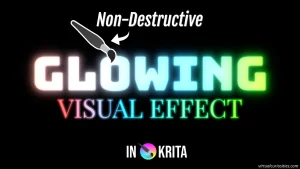
  • How to Make a Glowing Text Effect in Krita

    Tutorial
    Learn how to create a glowing visual and text effect in Krita (version 5.2.9), for use in designs or illustrations, and tips to make the glow high quality.
  • How to Make an Entire Layer a Single Color in Krita

    Tutorial
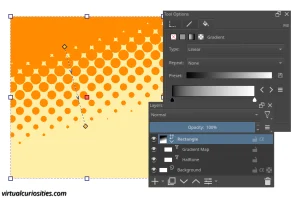
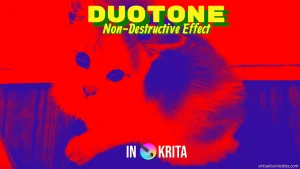
    Learn four methods to make an entire layer a single color in Krita (version 5.2.9), both destructively and non-destructively, both entirely and only opaque pixels, and their advantages and disadvantages.
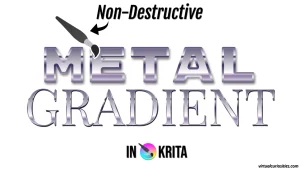
  • How to Create a Metal Text Effect using Gradients in Krita

    Tutorial
    Learn how to create a simple non-destructive metal text effect in Krita (version 5.2.9) using contrasting gradients.
  • Danger: Gradient Presets in Layer Style Effects are Global in Krita

    Reference
    In Krita, gradient presets in Krita are treated like "resources" like brushes. This means that it's possible to create a new gradient preset for a gradient in one file and then edit that preset in a different file, and when you return to the first file Krita will simply render the gradient in a completely […]
  • How to Change the Icon of a File or Folder on Linux Mint (Cinnamon, Nemo)

    Tutorial
    Learn how to change the icon of a file or folder on Linux Mint's Nemo, Cinnamon's file manager.
  • How to Create a Diagonal Long Shadow Effect in Krita

    Tutorial
    Learn how to create a non-destructive diagonal long shadow effect in Krita (version 5.2.9), using a technique that some might consider a crime against computing itself.
  • How to Add File Types to the "Create New Document" Context Menu in Linux Mint (Cinnamon, Nemo)

    Tutorial
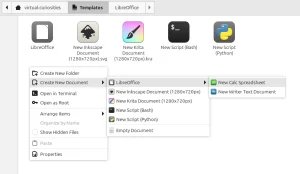
    Learn how to add file types to the "Create New Document" submenu of Linux Mint's Cinnamon's Nemo's context menu.
  • Ricing

    Definition
    A term for "customizing" your Linux operating system. The more customized it is, the more riced the rice becomes.
  • Wallpaper

    Definition
    Term for the image that stays behind the icons on your desktop, in the background.
  • How to Change the Color of Lines After Drawing Them in Krita

    Tutorial
    Learn how to change the color of lines after we have already drawn them in Krita.
  • How to Use Clipping Masks in Krita

    Tutorial
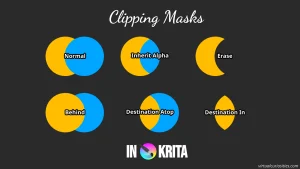
    Learn how to clip a layer to another layer in Krita (version 5.2.9), such that one layer's opacity is used to mask the other layer, using various different methods, such as inherit alpha and Krita's many transparency-related blend modes.
  • Types of Layers and Masks in Krita

    Reference
    Learn what each layer type and mask type in Krita is for.
  • How to Use Clone Layers in Krita

    Tutorial
    Learn how clone layers work in Krita and how to use them to create complex non-destructive graphical effects with just layers.
  • Free Personal Medicine Inventory Tracking Spreadsheet Template for LibreOffice Calc

    Reference
    Do you forget to restock your medicine sometimes? Here's a free way to remember when it's running out.
  • How to Add a Drop Shadow Effect in Krita

    Tutorial
    Learn how to add a drop shadow to an image (text, logo, icon, etc.) in Krita (version 5.2.9) using two methods, an easy one that casts a shadow toward an angle from a distance, and a more complicated one that lets you cast a shadow exactly X pixels to the right, and Y pixels below a layer, as well as have full control over the contour, pattern, and other aspects of the drop shadow.
  • Drop Shadow (Graphical Effect)

    Definition
    A commonly supported graphical effect that when added to an object or layer that casts a shadow under it.
  • Blend Mode

    Definition
    The blend mode means which method will be used to blend the pixels of one object (such as a layer in an image editor) with another object.
  • Transparency

    Definition
    Means you can see through something. The antonym is opacity.
  • Lossy

    Definition
    Lossy compression, which is the opposite of lossless compression.
  • Lossless

    Definition
    Lossless compression, which is the opposite of lossy compression.
←Previous Page Next Page→

About the Site

  • Sitemap
  • Privacy Policy

Follow

Main Content © Virtual Curiosities 2023–2024.
Some Resources © Their Respective Authors.
Made with WordPress.