How to Add a Drop Shadow Effect in Krita

Krita: Patterned Drop Shadow Effect with Filter Layers (2025)

Share
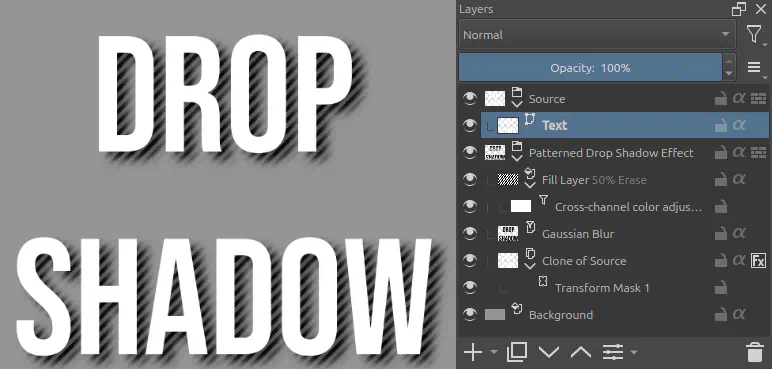
An example of a drop shadow effect with a diagonal stripes pattern in the shadow created in Krita with the layers structure visible: the layers are a "Source" group with a "Text" layer inside, then a "Patterned Drop Shadow Effect" group with a "Fill Layer" set to 50% opacity and Erase blend mode that has a "Cross-channel color adjustment" filter mask attached to it, then a "Gaussian Blur" filter layer, then "Clone of Source" with a layer style, attached to it a "Transform Mask 1." And finally a Background layer.

Description

The layer structure of a simple non-destructive drop shadow with pattern effect created in Krita.

Metadada

File Type
image/webp
File Size
20.2KiB
Resolution
772x369px

View Comments