Virtual Curiosities

  • Websites
    • Search Engines
    • Social Media
  • Applications
    • For Digital Art
  • Tutorials & Tips
    • The Basics
    • Windows
    • GIMP
    • Krita
    • Inkscape
    • DaVinci Resolve
    • OBS Studio
    • WordPress (PHP Programming)
  • Reference
    • Hardware (Concepts)
    • Names of Computer Parts
    • Software (Concepts)
    • File Extensions
    • User Interfaces
    • Images & Image-Editing (Concepts)
    • Video & Video-Editing (Concepts)
    • Games (Terminology)
    • Internet (Concepts)
How to Create an Account in Bluesky

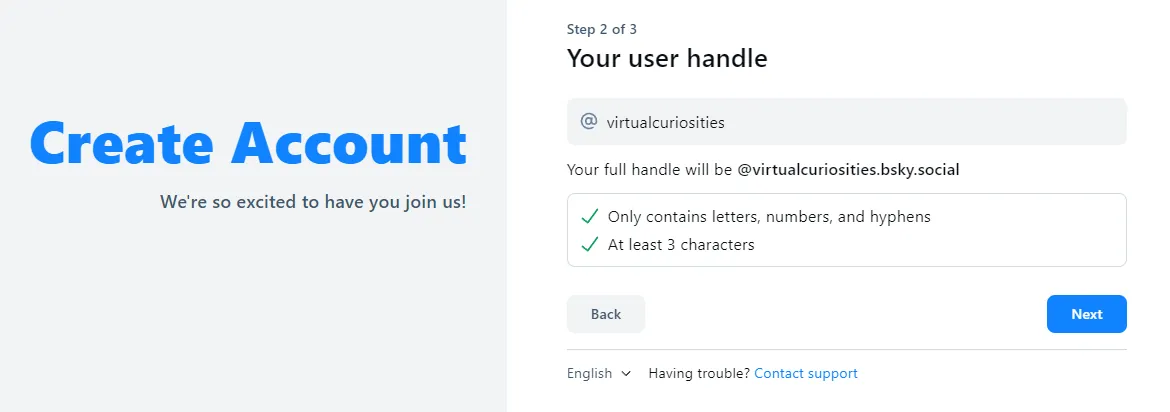
Bluesky: Create Account, Step 2 of 3

Share
2024-09-18
Page with a form labeled "Step 2 of 3," "Your user handle," with a field that has an at symbol (@), and the value virtualcuriosities. A text below: your full handle will be @virtualcuriosities.bsky.social. Only contains letters, numbers, and hyphens. At least 3 characters. Two buttons: back and next.

Description

Create account page of Bluesky, step 2 of 3.

Metadada

File Type
image/webp
File Size
17.2KiB
Resolution
1170x412px

Related Articles

  • How to Create an Account in Bluesky

Share this page: send it to your friends!

View Comments

About the Site

  • Sitemap
  • Privacy Policy

Follow

Main Content © Virtual Curiosities 2023–2024.
Some Resources © Their Respective Authors.
Made with WordPress.