Post Date Link

Share

What is a Post Date Link?

A post date link is a link to the URL of a post on blogs and social media that appears as the date of the post on a feed. This is a convention. Note that the post dates are often relative dates, e.g. "2 hours ago," but the convention holds nevertheless.

Caveats

Nowadays, many feed-based social media make the entire post clickable, but that doesn't mean the entire post is a link. Web browsers treat links specially. You can right click on a link to open it in a new tab, or Ctrl+Click them, or middle click them.

As a consequence, some social media simply don't make the dates into links anymore.

Some social media wrongly implement the interaction. Because the link is inside the post, when you click the link you click the post. The default behavior of the web browser would be to fully reload the page when you click the link. Websites like to override that to make only the post load without reloading the page. Unfortunately, the way Javascript works is that in order to override the default behavior of link clicks you have to override the default behavior of clicks in general, and that includes the middle click and Ctrl+Click.

The proper way to implement this then, would be to check if the click is a left click, and then additionally check if any of the modifier keys are pressed, and if all of this is false then you override the default behavior. But you would only do this if you knew Ctrl+Click opened links in a new tab first, and most people just don't know about this.

Examples
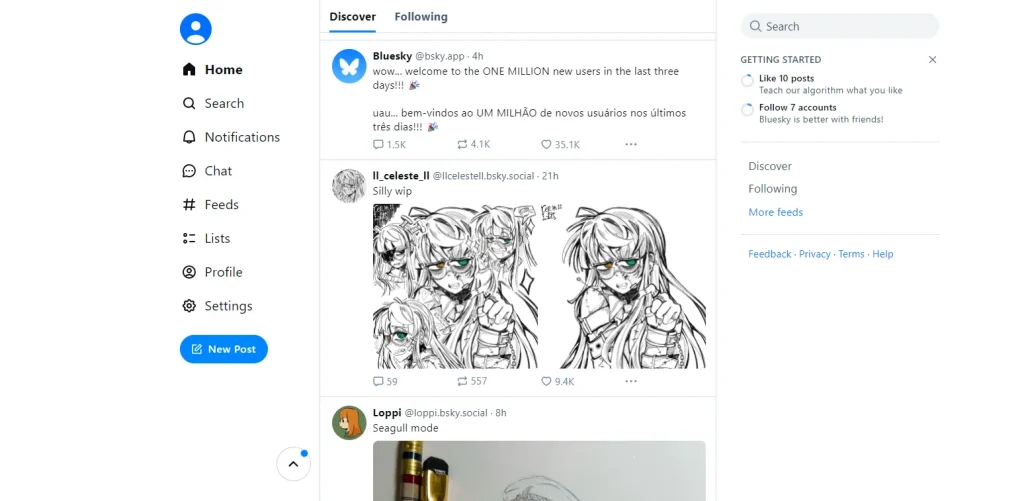
A mostly white web page. On the top-left corner, the user's avatar, then a left menu with the items: Home, Search, Notifications, Chat, Feeds, Lists, Profile, Settings, and a button for "New Post." In the center, two tabs: Discover (active) and Following. A list of posts in a vertical feed, each with the poster's avatar on the top-left, the display name, username (with at (@)), and time posted. On the right side, a search box, a panel labelled "Getting Started," and the links Discover, Following, More Feeds, Feedback, Privacy, Terms, and Help.
Bluesky (as of 2025-04-07) correctly implements the date links. The post is clickable, but the date is a link, and Ctrl+Click and middle clicks aren't overriden.

Mastodon (as of 2025-04-07) correctly implements date links.

Bad Examples
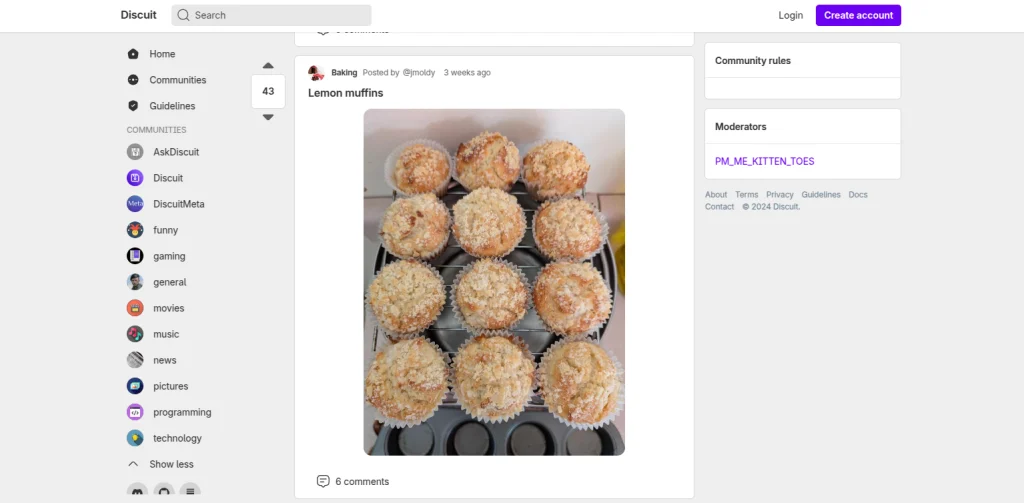
A webpage, the navbar logo reads "Discuit," next to a search box and a login and create account buttons. On the left pane: Home, Communities, Guidelines, a d a list of "Communities," namely: AskDiscuit, Discuit, DiscuitMeta, funny, gaming, general, movies, music, news, pictures, programming, and technology. On the main pane a photo post to the Baking community by user jmoldy, posted 3 weeks ago titled Lemon muffins, showing 12 muffins. It has 6 comments. On the right pane two panels, one titled Community rules and the other titled Moderators. A single moderator is listed: PM_ME_KITTEN_TOES. Links on the right pane: About, Terms, Privacy, Guidelines, Docs, Contact, copyright 2024 Discuit.
Discuit (as of 2025-04-07) doesn't implement date links. The title of the post is a link to the post instead. It overrides Ctrl+Click.

Lemmy (as of 2025-04-07) has dates that display the link cursor but aren't actually links and clicking on the does nothing.

Written by Noel Santos.

About the Author

I'm a self-taught Brazilian programmer graduated in IT from a FATEC. In a world of increasingly complex and essential computers, I decided to use my technical expertise in hardware, desktop applications, and web technologies to create an informative resource to make PC's easier to understand.

View Comments