Traditionally, the consumer-grade PC didn't have SSDs, they only had HDDs, which were slower than SSDs.
HDDs were connected to the PC's motherboard via SATA cables. Since this was how you connected an HDD to a PC, it made sense to use the same technology to connect SDDs, even though they were faster.
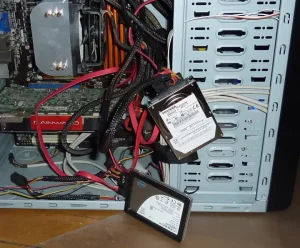
For a while, this worked fine, but eventually SSDs became so fast that they could read data faster than it could be transmitted through SATA. In order words, SATA became a bottleneck. You had a huge volume of data that could be read from the SSD in one second, but the amount of data that could pass through the neck of the bottle was smaller. This meant we couldn't use SSDs to their full potential. They could become even faster if only we had something faster than SATA.
One solution for this was the NVMe. NVMe isn't a new piece of hardware, or even a new piece of software. It's a specification for how to develop software. It allowed SSDs to be installed into the PCIe port that already existed on motherboards. The specification specifies what kind of signals the operating system should send to this PCIe port and how the SSD should respond to them. The software that sends the signals is the driver in the operating system. So all you would need is a driver that implements the NVMe specification in order to use a NVMe SSD. Physical changes to the motherboard wouldn't be needed.
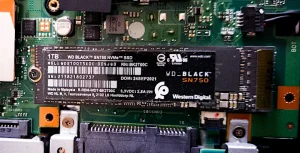

How Much Faster are NVMe SSDs Compared to SATA SSDs?
The SATA III is rated at 6 gigabits per second.
The new Serial ATA Revision 3.0 specification from the Serial ATA International
https://sata-io.org/system/files/member-downloads/SATA-6Gbs-Fast-Just-Got-Faster_2.pdf (accessed 2025-01-19)
Organization (SATA-IO) increases throughput for the world’s most popular storage
interface from 3 to 6Gb/s.
Meanwhile, the fastest SSDs are rated at 3 to 7.5 gigabytes per second.
Top-performing NVMe drives exceed 3,000 megabytes per second (MB/s), and some of the newer models can reach up to 7,500 MB/s.
https://www.ibm.com/think/topics/nvme-vs-m2 (accessed 2025-01-19)
One byte is 8 bits, so if we converted these speeds to the same units, we would have this:
| Gbit/s | GB/s | |
| SATA II | 3 | 0.375 |
| SATA III | 6 | 0.75 |
| Fast NVMe SSD | 27 | 3 |
| New NVMe SSD | 60 | 7.5 |
As you can see, a fast NVMe SSD is rated at 27 gigabits per second, which is 4.5 times faster than a SATA SSD could be. The new NVMe SSDs are 10 times faster than SATA III.
Why SATA SSDs Still Exist?
If NVMe SSDs are so much faster, why do we still have SATA SSDs available in the market?
I believe the main reason for this is simply physical space. A motherboard has a limited number of PCIe ports in it. Better, more expensive motherboards for powerful PCs are typically physically larger with more slots because they're made for people who have all sorts of computer parts they can insert into those slots. Cheaper PCs have fewer ports. In some cases, you may simply not have 2 ports available to install 2 separate NVMe SSDs, but you're always going to have a few SATA ports that you can use.