Summary: hard disk drives are slower because the data is stored in a disk that needs to be spun in order to be read, while the data in solid state drives are as fast as electricity.
Why HDDs are Slow
Old computers only had HDDs. An HDD stores data in a disk called the hard disk. Data is stored in what we call "memory cells." The HDD stores data in them by changing magnetic properties of the hard disk's material. Because the data of your files is spread around this disk, the drive has to "spin" the disk in order for the data to be read. A needle reads the data from the disk's memory cells, and if the data you need at a given moment is on the other side of the disk, the disk has to be spun otherwise the needle can't read it, because the needle needs to be above the memory cell where the data is.

The hard disk spins at a very fast speed, and the needle has microscopic precision. It's all very amazing, but the disk still needs to be spun, which adds some latency.
For example, if a HDD is rated at 7200 RPM (rotations per minute), that means it rotates at 7200 / 60 = 120 rotations per second[how to read math], which means once every 1 / 120 = 0.008 seconds, or 8 milliseconds. Since the disk only spins in one direction, if the data is just behind the needle, it has to make an almost full rotation to read that data.
So no matter how small the files you need are, even if you need just one byte, a 7200 RPM HDD still is going to take at least 8ms to read it in the worst case.
Why SSDs are Fast
SSDs store data by trapping electrons inside of them in something called non-volatile flash memory. This flash memory technology is used in thumb drives as well, so an SSD is just a big thumb drive that is installed inside the PC instead of plugged into a USB port.
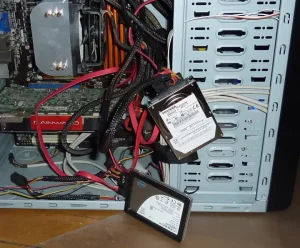
To trap the electrons, all that is required is that the electrons go through the electrical circuits built into the SSD, passing through a MOSFET (metal-oxide semiconductor field-effect transistor). The oxide layer of this transistor keeps the electrons trapped inside of it by chemical forces. There are no moving parts in flash memory. Nothing needs to be spun. This makes the SSD as fast as the speed of electricity, which is the same speed the CPU operates at. Keep in mind that all the CPU does is have electricity pass through its circuits in order to do its computations.
The traditional SSD was connected to the CPU via a SATA cable just like HDDs were. This worked for a while, but eventually the consumer-grade SSDs became so fast that they could read data faster than that data could go through the SATA cable. This made the SATA cable a bottleneck for loading data. The solution to this bottleneck were the NVMe SSDs. NVMe SSDs are faster than SATA SSDs because they are connected to a PCIe port instead.