Virtual Curiosities

  • Websites
    • Search Engines
    • Social Media
  • Applications
    • For Digital Art
  • Tutorials & Tips
    • The Basics
    • Windows
    • GIMP
    • Krita
    • Inkscape
    • DaVinci Resolve
    • OBS Studio
    • WordPress (PHP Programming)
  • Reference
    • Hardware (Concepts)
    • Names of Computer Parts
    • Software (Concepts)
    • File Extensions
    • User Interfaces
    • Images & Image-Editing (Concepts)
    • Video & Video-Editing (Concepts)
    • Games (Terminology)
    • Internet (Concepts)
  • Blogger

    Definition
    Someone who has blog; or the name of a free blog-hosting service provided by Google.
  • Blog

    Type of website traditionally similar to an online diary where articles (called blog posts) are posted and displayed in descending chronological order: the most recent first in its homepage.
  • Google Search

    Definition
    The official name for Google's search engine.
  • Smartphone

    Type of computer: a mobile device that fits in your hand (handheld) that works as a cellphone, but that also has functions that traditional cellphones wouldn't have, such as the ability to access the Internet, an operating system that allows the development and installation of new applications (called apps), the ability to display images and videos, an interactive screen (touchscreen) instead of physical buttons, the ability of take photos and record videos, among other functions.
  • E-mail Address

    A text code such as [email protected] or [email protected] that identifies the source or destination of an e-mail message sent by an e-mail provider.
  • E-mail

    A message that is sent from one e-mail address (such as [email protected]) to another e-mail address.
  • My Recommended Settings for Vivaldi

    Some settings I personally use with Vivaldi, the web browser, and mostly how to fix some annoying default settings in Vivaldi.
  • Vivaldi

    A web browser that is free, Chromium-based, and extremely customizable, available for Windows, Mac, Linux, Android, and iOS.
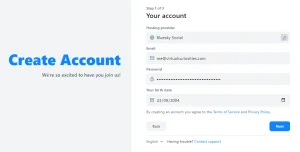
  • How to Create an Account in Bluesky

    Tutorial: learn how to create a new user account in Bluesky, the decentralized social media
  • Federated Social Media

    Another term for decentralized social media, with emphasis on the federation aspect (e.g. Fediverse).
  • Decentralized Social Media

    A social media (social network) in which the users' data do not belong to only one central authority, but to various interconnected entities, such as Mastodon or Bluesky.
  • User

    A person who uses any person that uses or using something.
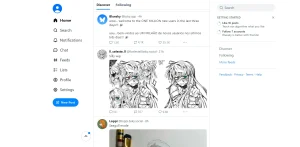
  • Bluesky

    Image Posts
    Link Posts
    Long Video Posts
    Reblogging Posts
    RSS
    Short Text Posts
    Tagged Posts
    A decentralized social media website similar to Twitter based on the AT Protocol.
  • F1, F2, F3, F4, F5, F6, F7, F8, F9, F10, F11, F12 Keys

    Called function keys or FN keys, are a set of keys of the computer keyboard that when pressed execute some function Which functions they have depend on which programs are running in the computer.
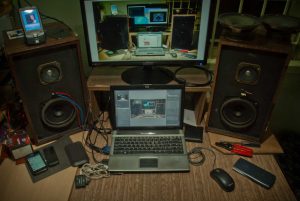
  • Laptop

    Type of computer that has a keyboard and a screen integrated as a single portable device.
  • How to Install DaVinci Resolve in Linux Mint

    Tutorial
    Tutorial, learn how to install DaVinci Resolve 19 in Linux Mint 22. It's not easy, but it's possible.
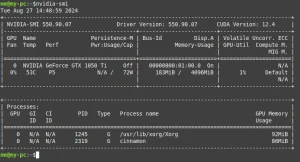
  • How to Install Nvidia Drivers in Linux Mint

    Tutorial
    How to install Nvidia drivers in Linux Mint using the driver manager; installing more recent drivers through apt install; and enrolling MOK keys in Secure Boot.
  • How to Check if Secure Boot is Enabled in Linux Mint

    Tutorial
    Run the terminal command "mokutil --sb-state".
  • How to Open the Terminal in Linux Mint

    Tutorial
    Two ways to open a terminal window in Linux Mint.
  • Desktop Environment

    Name for the set of programs responsible for displaying the desktop in an operating system, its icons, taskbar, start menu, or equivalents.
←Previous Page Next Page→

About the Site

  • Sitemap
  • Privacy Policy

Follow

Main Content © Virtual Curiosities 2023–2024.
Some Resources © Their Respective Authors.
Made with WordPress.