How to Use the Smart Patch Tool in Krita

Krita: Retouching Skin in Photo with Smart Patch Tool (2025)

Share
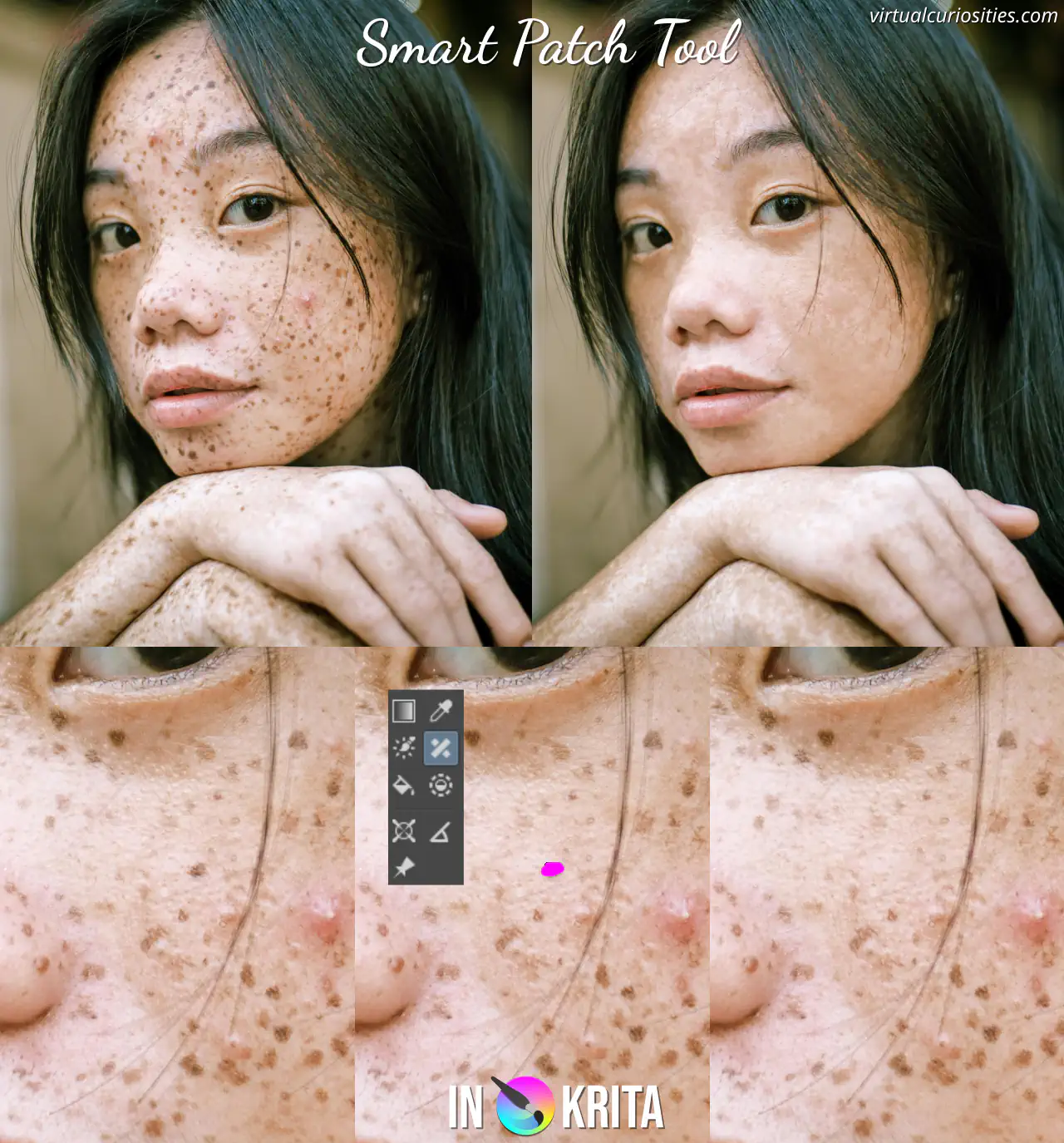
A photo a girl with freckles, before and after the skin was retouched and all the freckles removed. In the end result, the skin texture is still not uniform, and some areas of the face look "smooth" or "flat," in particular the eyebrows and spots under the hair.

Description

Skin retouching done in Krita using the smart patch tool. Observe that although the smart patch tool can easily remove small dots on the skin, it isn't very good at removing larger areas, nor can it make the texture of the skin consistent. Photo: Ike louie Natividad. License: Pexels.

Metadada

File Type
image/webp
File Size
109.9KiB
Resolution
1280x1375px

View Comments