Virtual Curiosities

  • Websites
    • Search Engines
    • Social Media
  • Applications
    • For Digital Art
  • Tutorials & Tips
    • The Basics
    • Windows
    • GIMP
    • Krita
    • Inkscape
    • DaVinci Resolve
    • OBS Studio
    • WordPress (PHP Programming)
  • Reference
    • Hardware (Concepts)
    • Names of Computer Parts
    • Software (Concepts)
    • File Extensions
    • User Interfaces
    • Images & Image-Editing (Concepts)
    • Video & Video-Editing (Concepts)
    • Games (Terminology)
    • Internet (Concepts)
How to Create a Secondary Blog on Tumblr

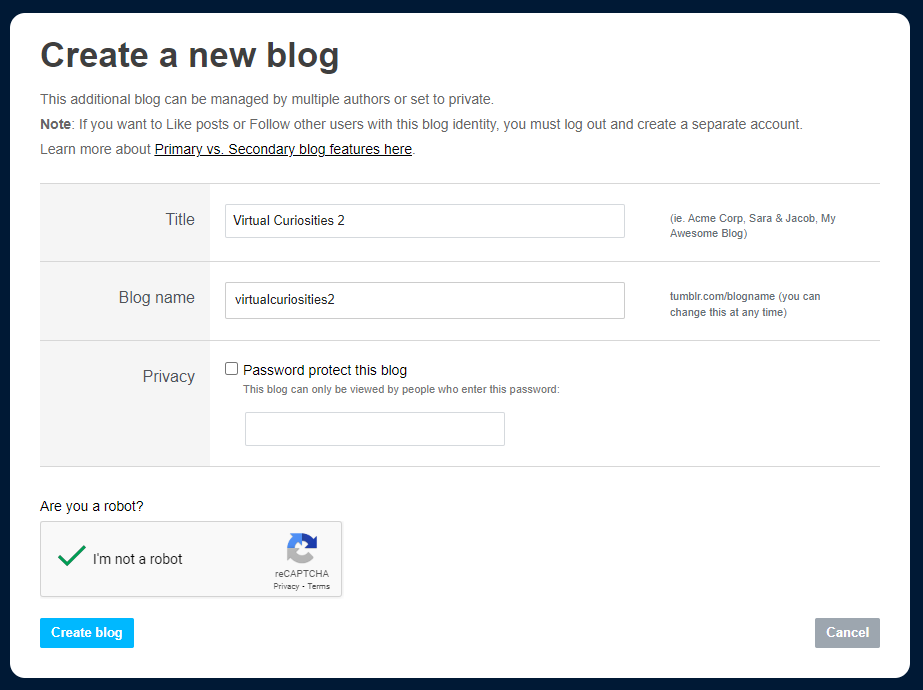
Tumblr: "Create a New Blog" Form (2024)

Share
2024-10-19
A form titled "Create a new blog." It reads: "This additional blog can be managed by multiple authors or set to private. Note: If you want to Like posts or Follow other users with this blog identity, you must log out and create a separate account. Learn more about Primary vs. Secondary blog features here." Two fields: Title (value: "Virtual Curiosities 2" and Blog name (value: virtualcuriostiies2). There's an option labelled "Privacy" to "password protect this blog" so that "this blog can only be viewed by people who enter this password." At the bottom, a captcha, a button to "Create blog" and a "Cancel" button.

Description

The form to "Create a new blog" in Tumblr.

Metadada

File Type
image/webp
File Size
15.9KiB
Resolution
923x690px

Related Articles

  • How to Create a Secondary Blog on Tumblr

Share this page: send it to your friends!

View Comments

About the Site

  • Sitemap
  • Privacy Policy

Follow

Main Content © Virtual Curiosities 2023–2024.
Some Resources © Their Respective Authors.
Made with WordPress.