Virtual Curiosities

  • Websites
    • Search Engines
    • Social Media
  • Applications
    • For Digital Art
  • Tutorials & Tips
    • The Basics
    • Windows
    • GIMP
    • Krita
    • Inkscape
    • DaVinci Resolve
    • OBS Studio
    • WordPress (PHP Programming)
  • Reference
    • Hardware (Concepts)
    • Names of Computer Parts
    • Software (Concepts)
    • File Extensions
    • User Interfaces
    • Images & Image-Editing (Concepts)
    • Video & Video-Editing (Concepts)
    • Games (Terminology)
    • Internet (Concepts)
How to Change Your Avatar on Tumblr

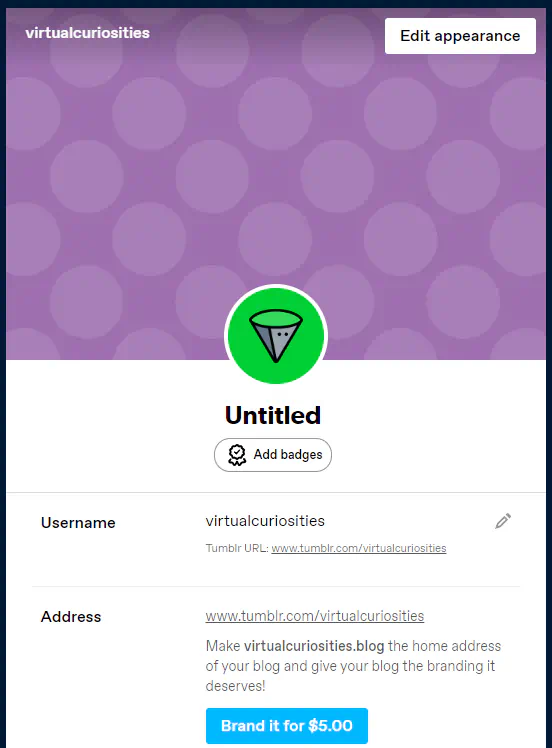
Tumblr: Blog Settings, Top Section (2024)

Share
2024-10-19
A page for editing the settings of a blog called virtualcuriosities. A button on the top-right reads "Edit appearance." On the center, a default green avatar with the title "Untitled" under it, and a button to "Add badges." A field "Username" with value "virtualcuriosities" and a pencil icon for changing it. Tumblr URL: www.tumblr.com/virtualcuriosities. A field "Address" with value: www.tumblr.com/virtualcuriosities. A message reads: make virtualcuriosities.blog the home address of your blog and give your blog the branding it deserves! A button reads "Brand it for $5.00"

Description

The top part of the blog settings page on Tumblr.

Metadada

File Type
image/webp
File Size
18.8KiB
Resolution
552x748px

Related Articles

  • How to Change Your Avatar on Tumblr

Share this page: send it to your friends!

View Comments

About the Site

  • Sitemap
  • Privacy Policy

Follow

Main Content © Virtual Curiosities 2023–2024.
Some Resources © Their Respective Authors.
Made with WordPress.