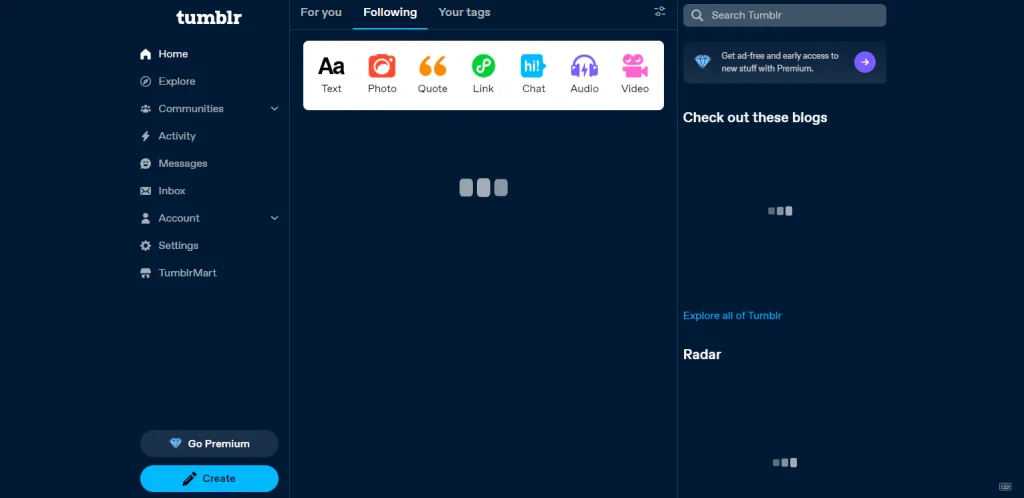
One issue I had recently was that Tumblr wasn't loading in my PC. More specifically, it was loading, but was loading very slowly, and often it stopped loading midway. Even when I was reading its Terms of Service, the webpage literally stopped loading mid-sentence, the TEXT didn't load, so I couldn`t the rest of the terms. I had to refresh several times just to see it. At first I thought it was some issue with my Internet connection, but the issue persisted for days, so I figured it must be something else.
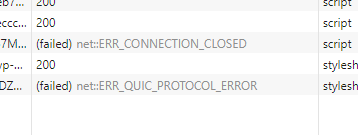
I tried multiple web browsers, including Google Chrome, Mozilla Firefox, and Vivaldi, but the problem persisted. I checked the in-browser developer tools and after a while I noticed something interesting. Sometimes when the page doesn't load, you get a message that says "(failed) net::ERR_QUIC_PROTOCOL_ERROR."
I'm not sure how the QUIC protocol works exactly, but from what I know, QUIC is supposed to replace HTTP2.
As the name implies, QUIC is quicker. It's a faster protocol. There's only one problem: it's not working.
After googling it, I discovered you can disable QUIC in web browsers, at least for now, because it's an experimental protocol. I wish they made it more clear that websites aren't working because of an experimental protocol is enabled by default. I don't like testing other people's software like this. I like it when things just work.
How to Fix
It's possible to disable the QUIC protocol in your web browser. After you do that, Tumblr will load normally in your PC again instead of getting stuck loading every time.
I'll summarize how to do it in this article. For a step by step with images, see the link below:
- https://techysnoop.com/disable-quic-protocol-in-chrome-edge-firefox/ (accessed 2024-10-19)
In Google Chrome
Type chrome://flags in your address bar, then search for "Experimental QUIC Protocol" and change it from Default to Disabled.
In Vivaldi
Same process as above, but you have to type vivaldi://flags in your address bar.
In Firefox
Type about:config in your address bar, search for "network.http.http3.enabled," click the plus button, and then click the arrows button to change it to "false."
Observations
This same issue existed when trying to access WordPress.org. Since both Tumblr and WordPress are owned by the same company now, I assumed there would be some sort of relationship. I reported it to WordPress via their Slack channel, but I haven't confirmed if it has been resolved.