Plus Icon

Share

What is a Plus Icon?

A plus icon is an icon that looks like the plus sign (+) that typically symbolizes "adding" items, which in turn means "creating" new items.

It's found in buttons that "add" items to a list, to that create "new" items. On Linux, it's found in GTK's numeric text boxes instead of spin buttons, used to increment a value; and in some theme's as the maximize button.

Examples

The location of Krita's "Add New Layer" popup menu in the "Layers" docker.
The location of Krita's "Add New Layer" popup menu.
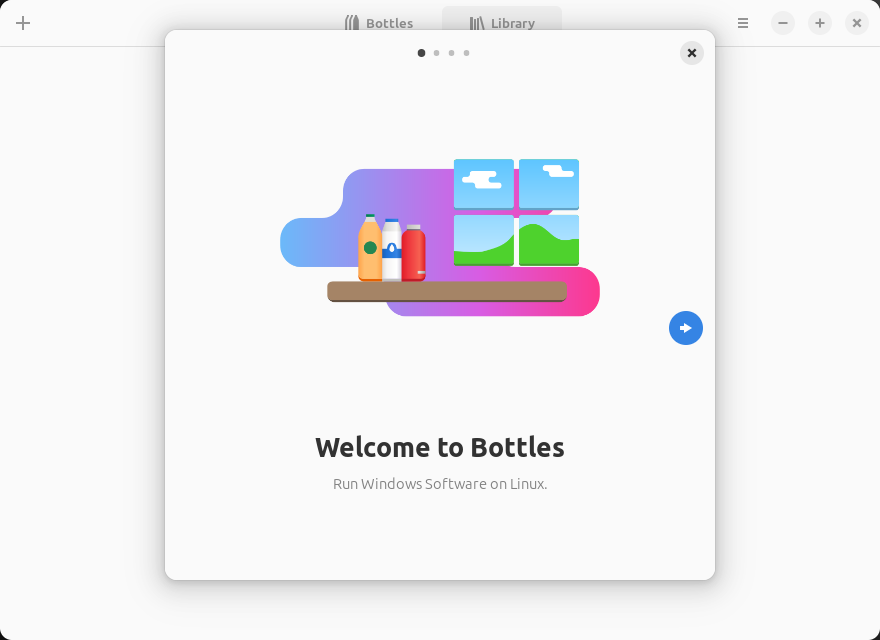
A dialog box in front a window that reads: Welcome to Bottles, Run Windows Software on Linux.
A screenshot of Bottles' welcome window. On its headerbar, we see two "plus" icons: the top-left creates a new bottle, the one on the right is the maximize button.
Written by Noel Santos.

About the Author

I'm a self-taught Brazilian programmer graduated in IT from a FATEC. In a world of increasingly complex and essential computers, I decided to use my technical expertise in hardware, desktop applications, and web technologies to create an informative resource to make PC's easier to understand.

View Comments