Virtual Curiosities

  • Websites
    • Search Engines
    • Social Media
  • Applications
    • For Digital Art
  • Tutorials & Tips
    • The Basics
    • Windows
    • GIMP
    • Krita
    • Inkscape
    • DaVinci Resolve
    • OBS Studio
    • WordPress (PHP Programming)
  • Reference
    • Hardware (Concepts)
    • Names of Computer Parts
    • Software (Concepts)
    • File Extensions
    • User Interfaces
    • Images & Image-Editing (Concepts)
    • Video & Video-Editing (Concepts)
    • Games (Terminology)
    • Internet (Concepts)
  • How to Change the Location of Notifications on Cinnamon (Linux Mint)

    Tutorial
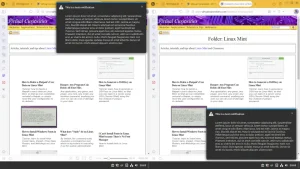
    Tutorial: how make the notifications appear on the bottom-right or in another monitor in Linux Mint, and how to disable them.
  • Content of an Article in an RSS Feed

    Definition
    In an RSS feed, each declared article has a piece of content associated with it that can be the entire article or a snippet.
  • Linked Webpage of an Article in an RSS Feed

    Definition
    In an RSS feed, each article may have a webpage associated with it. RSS clients display this associated webpage in various ways.
  • Responsive Design

    Definition
    Designing graphical user interfaces capable of "responding" to changes in the width of their display area.
  • Categories Declared in an RSS Feed

    Definition
    It's possible for an RSS feed to declare in its XML code what categories are associated with each article.
  • Comparison of RSS Readers

    Review
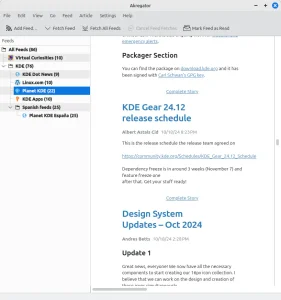
    A comparison of the best free RSS readers for PC (Windows, Linux, and macOS).
  • Fluent Reader

    Freeware
    Linux
    macOS
    Open Source
    Windows
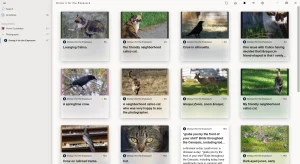
    Free local RSS client available for Windows, Linux, and macOS.
  • My Review of RSS Guard

    Review
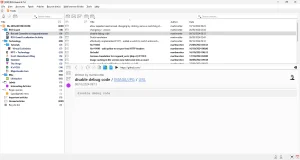
    RSS Guard is an extremely well-made and polished RSS client with excellent support for both basic and advanced features.
  • How to Use RSS to Subscribe to a Mastodon Account

    Tutorial
    Tutorial: how to use RSS to subscribe to a Mastodon account, so you can get their toots in your RSS client.
  • How to Use RSS to Subscribe to a Youtube Channel

    Tutorial
    Tutorial: how to use RSS to subscribe to a Youtube channel, so you can get notified when a channel posts new Youtube videos by your RSS client.
  • Why RSS Guard Adds The Same Feed Repeated Five Times

    Explanation
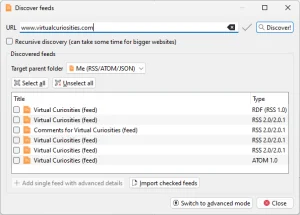
    When adding a new RSS feed to RSS Guard using a webpage's URL, sometimes the same title is repeated five times, and the same title AND type (RSS 2.0/2.0.1) appears repeated three times! Why does this happen? What is the reason for all these duplicated feeds?
  • Liferea

    Freeware
    Linux
    Open Source
    Local RSS client available for Linux.
  • How to Delete a Flatpak's User Data on Linux Mint

    Tutorial
    Tutorial: how to delete a flatpak's user's data on Linux Mint, so that we can completely uninstall a flatpak, or simply reset the user configuration to its defaults.
  • My Review of NewsFlash

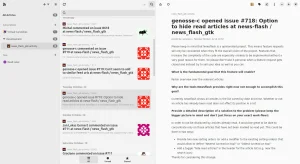
    NewsFlash has a minimalist design, good support for basic functionality, but doesn't support many advanced features you would want in an RSS client.
  • NewsFlash

    Freeware
    Linux
    Open Source
    Local RSS client available for Linux. It's "the spiritual successor to FeedReader."
  • RSS Guard

    BSD
    Freeware
    Linux
    macOS
    Open Source
    OS/2
    Windows
    Free local RSS client available for Windows, Linux, BSD, OS/2 and macOS.
  • My Review of Vivaldi as an RSS Client

    Vivaldi makes it very easy to subscribe to new RSS feeds, but it doesn't provide much of the functionality you would want to manage a large amount of feeds.
  • How to Subscribe to an RSS Feed in Vivaldi

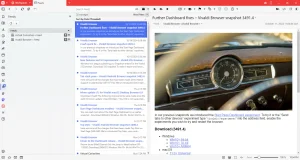
    Tutorial: learn how to subscribe to an RSS feed in Vivaldi, the web browser.
  • How to Add an RSS Feed to Thunderbird

    Tutorial
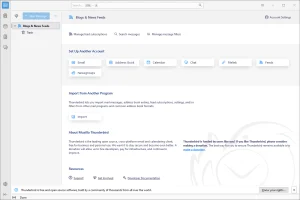
    Tutorial: learn how to add an RSS feed to Thunderbird (version 128.3).
  • How to Find the RSS Feed URL of a Website

    5 methods you can use to find the URL for the RSS feed of a website that supports RSS.
←Previous Page Next Page→

About the Site

  • Sitemap
  • Privacy Policy

Follow

Main Content © Virtual Curiosities 2023–2024.
Some Resources © Their Respective Authors.
Made with WordPress.