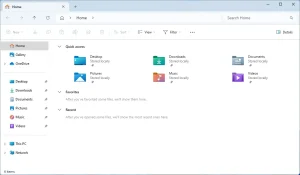
File Manager A type of application that can move, rename, copy, delete, and list files and folders in the computer, and navigate through the hierarchy of folders.
File Extension The part of a file's filename after the last dot character (.), e.g. .jpg, .png, .gif, .bmp, .webp, .webm, .txt, .doc, .psd, .avi, .mp4, .mp3, .wav, etc.
Filepath A text code like C:\folder\photo.jpg that identifies the location of a file in your computer.
File What is a File in the Computer? A "file" is a general term for documents, photos, videos, music, and other virtual objects that can be saved in a computer. For example, when we say "an image file" we are talking about a photo or drawing saved in your computer. Each file has a name (the […]
How File Sizes Work In a computer, the size of a file is measured in bytes, kilobytes, megabytes, gigabytes, terabytes, petabytes, and so on, or, alternatively, in kibibytes, mibibytes, gibibytes, and so on. One byte is equivalent to 8 bits of data, or 23 bits, the bit being the smallest unit we have to measure data. One kilobyte is […]