How to Print a Variable in the Terminal on Linux Mint Tutorial Learn how to print a variable such as an environment variable using the terminal on Linux Mint.
Print Definition Multiple meanings: to print a text or image to paper, to print the output of terminal commands on a terminal window, or to screenshot, to capture the image of the screen.
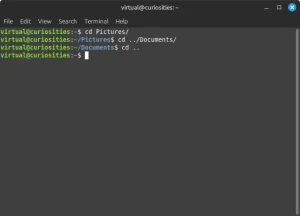
How to Change the Current Working Directory using the Terminal on Linux Mint Definition Learn how to change the current working directory in the terminal on Linux Mint.
Environment Variable (in the Command-Line) Definition A piece of text that a program has access to that is set by the operating system or by the program that started it to describe the context in which the program is currently running in that is passed down from program to program by default.
How to Print The Current Working Directory using the Terminal on Linux Mint Tutorial Learn how to print the current working directory using the terminal on Linux Mint, and a bit about how it works.
How to Get Help for a Terminal Command on Linux Mint Tutorial Learn about three different methods you can use to learn more about what a specific terminal command does on Linux, what options it provides and what arguments it supports.
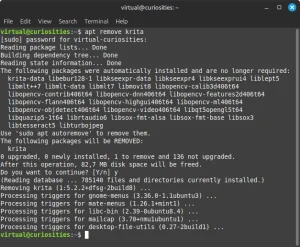
How to Uninstall an Application using the Terminal on Linux Mint Tutorial Learn how to uninstall an application using the apt terminal command on Linux Mint.
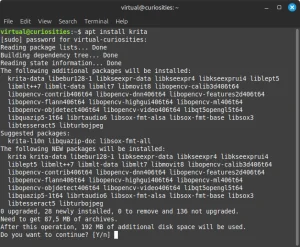
How to Install an Application using the Terminal on Linux Mint Tutorial Learn how to install applications using the apt terminal command on Linux Mint.
Tip: Autocomplete Arguments in the Terminal on Linux Tip On Bash and other shells on Linux, it's possible to autocomplete an argument by pressing the Tab key
Current Working Directory (in the Terminal) Definition Which folder (directory) you're currently working in while using the terminal.
What Values can the Zeroth Argument Have? (in the Command-Line) Reference Too many: absolute filepath, program name, path relative to current working directory, filename of the script, "bash", or literally anything at all.
Zeroth Argument (in the Command-Line) Definition The name of the terminal command you type in the command-line, which may be the filepath of a program or a built-in shell utility that you want to execute.
How to Execute a Terminal Command on Linux Mint Tutorial Learn how to execute a single terminal command on Linux Mint.
What is the Difference between Terminal and Shell on Linux? Explanation When talking about terminal commands and the command-line on Linux, we often encounter two terms that seem to be used interchangeably but are distinct: terminal and shell—and this can be very confusing—after all, what is the difference between them?
How to Pass Arguments to Terminal Commands in Bash / Linux Reference Learn how to pass arguments to a terminal command in Bash, the default shell in many Linux distributions
How the Name of the Terminal Command Works in Bash / Linux Reference In this article, we'll learn a bit about how the name of the terminal command is resolved on Linux, or, more specifically, how the zeroth argument works in Bash.
Is The "Command Line" The Entire Last Line of the Terminal Including the Shell Prompt or Not? Reference The last line of the terminal consists of the shell prompt—which may look like this: John@Mint:~$ —and, after the prompt, a space where you can type the terminal commands that will be interpreted. Is the entire thing the command line, or not?
Shell Prompt Definition The text that appears on the command line before the area where you can type terminal commands, for example John@Mint:~$.
Shell Definition A program or application that allows a user or other programs to access the core functions of an operating system contained in a subsystem called the "kernel" of the operating system.
Command Line Definition Line where a user can type text commands in an application that will be interpreted by some program.