Virtual Curiosities

  • Websites
    • Search Engines
    • Social Media
  • Applications
    • For Digital Art
  • Tutorials & Tips
    • The Basics
    • Windows
    • GIMP
    • Krita
    • Inkscape
    • DaVinci Resolve
    • OBS Studio
    • WordPress (PHP Programming)
  • Reference
    • Hardware (Concepts)
    • Names of Computer Parts
    • Software (Concepts)
    • File Extensions
    • User Interfaces
    • Images & Image-Editing (Concepts)
    • Video & Video-Editing (Concepts)
    • Games (Terminology)
    • Internet (Concepts)
Windows

Folder: Windows Tutorials

Some basic tutorials for Windows 11.
  • How to Save a File

    Tutorial
    How to use the menu File -> Save, Save as, Save a copy, and Export, and how to use save file dialogs.
  • Tutorials for Basic Computer Operations

    List
    Basic tutorials for operating a computer, specially one with Windows installed.
  • How to Open an Application

    Tutorial
    Tutorial: how to open an application using the start menu, the task bar, the command line, or from the desktop.
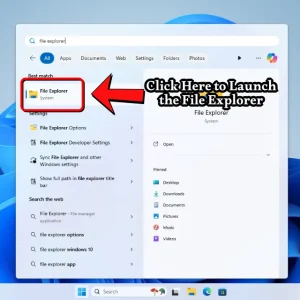
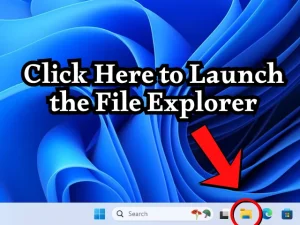
  • How to Open the File Explorer in Windows 11

    Tutorial
    A simple tutorial for opening the file explorer from the start menu, from the taskbar, or from the command prompt.
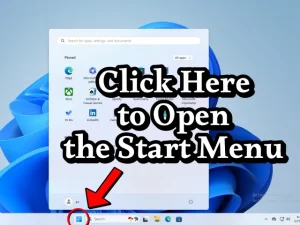
  • How to Open the Start Menu in Windows 11

    Tutorial
    Click on the Start button on the taskbar or you can press the Windows key.
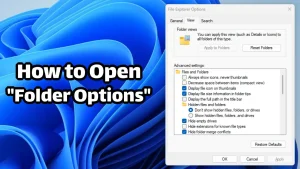
  • How to Open "Folder Options" in Windows 11

    Tutorial
    Open the Start menu, type "folder options" into the search box, and click the menu item labelled "file explorer options."
  • How to Show File Extensions in Windows 11

    Tutorial
    To show file extensions in Windows 11, open the File Explorer and click the three dots on the toolbar (to the right of sort, view, and filter). A popup menu will appear. On it, click on Options. This will open the classic Folder Options dialog, which has three tabs: General, View, and Search. Click on […]
←Previous Page

About the Site

  • Sitemap
  • Privacy Policy

Follow

Main Content © Virtual Curiosities 2023–2024.
Some Resources © Their Respective Authors.
Made with WordPress.