Virtual Curiosities

  • Websites
    • Search Engines
    • Social Media
  • Applications
    • For Digital Art
  • Tutorials & Tips
    • The Basics
    • Windows
    • GIMP
    • Krita
    • Inkscape
    • DaVinci Resolve
    • OBS Studio
    • WordPress (PHP Programming)
  • Reference
    • Hardware (Concepts)
    • Names of Computer Parts
    • Software (Concepts)
    • File Extensions
    • User Interfaces
    • Images & Image-Editing (Concepts)
    • Video & Video-Editing (Concepts)
    • Games (Terminology)
    • Internet (Concepts)
Social Media Websites

Folder: Bluesky

[All About Bluesky | What is Bluesky?]

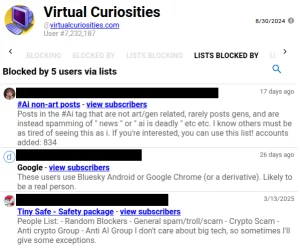
  • How to Find Which Moderation Lists are Blocking Your Account on Bluesky

    Tutorial
    You're probably already in a block list, you don't know about it yet!
  • Warning: Block Lists are Delegations of Authority

    Warning
    On Bluesky, users can create block lists that they can share with others, and this can be abused by corrupt moderators.
  • News: Bluesky Adds "Trending" Topics to its Sidebar

    News
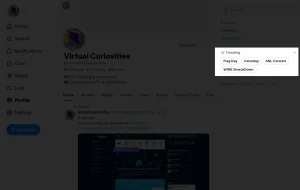
    Today I noticed that Bluesky added a "Trending" panel to its sidebar that displays topics that are trending on the platform.
  • How to Hide Trending Topics on Bluesky

    Tutorial
    Learn how to hide the "Trending" topics panel that Bluesky added to its sidebar.
  • How to Unblock Someone Blocked by a Moderation List on Bluesky

    Reference
    If you subscribe to a moderation list on Bluesky and the list includes a user that you don't want to be blocked, there is currently no way to unblock them.
  • How Decentralization Works in Bluesky

    Explanation
    How Bluesky is a decentralized social media, and how this "decentralization" makes it different from traditional social media websites.
  • What?! You Can Post a Whole Thread at Once on Bluesky?!

    My Blog
    Reference
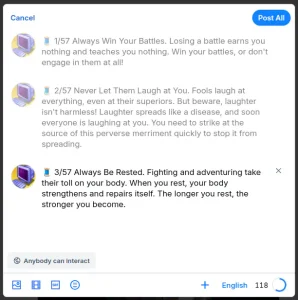
    You can post a whole multi-post thread (🧵) by clicking on the plus sign (+) button at the bottom of the post form, next to where you select the language of the post (e.g. "English").
  • How to Search for Starter Packs on Bluesky

    Reference
    Although there is currently no built-in way search for starter packs on Bluesky, there is a website we can use to find them.
  • List of Bluesky Search Operators

    Reference
    Learn how to perform advanced searches in Bluesky with operators like mentions:, from:, domain:, until:, and since:.
  • All About Bluesky

    Reference
    Index Folder View [Bluesky].
  • How to Use RSS to Follow Users on Bluesky

    Tutorial
    Learn how to use RSS to follow users on Bluesky.
  • How to Make Likes Private on Bluesky

    Tutorial
    Currently, it's not possible to make your likes private in Bluesky.
  • Cool Website Shows All Bluesky Posts in 3D!

    Tiny Website
    Have you ever wanted to see what everyone is posting on social media in 3D? Now you can! Someone made an old Windows screensaver-style visualization of everything that is posted on Bluesky.
  • Skeet

    Definition
    A post on Bluesky
  • How to Subscribe to Moderation Lists on Bluesky

    Tutorial
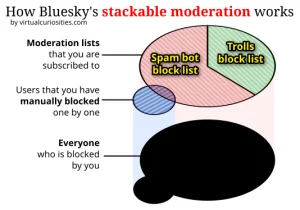
    Learn how to use moderation lists (mute lists, block lists) on Bluesky so we can block or mute a lot of people at once.
  • How to Search for Lists on Bluesky

    Reference
    Although there is currently no built-in way search lists (moderation lists, block lists, mute lists, etc.) on Bluesky, there is a website we can use to find them.
  • How to Remove a Follower on Bluesky?

    Currently, you can't remove a follower on Bluesky, only block them.
  • How to Save Posts on Bluesky

    Reference
    Although currently there is no way to save posts on Bluesky (also called "bookmark" or "favorite" posts), there are alternatives that you can use if you want to remember a post or revisit it later.
  • How to Make your Profile Private on Bluesky

    Currently, it's not possible to make your profile private on Bluesky (i.e. there is no way to "lock" your profile).
  • How to Block Words on Bluesky

    Tutorial
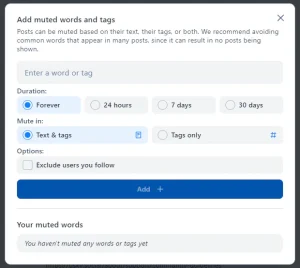
    Tutorial: learn how to block words and phrases on Bluesky (the platform users the term "mute" words). Blocked or muted words won't appear in posts for you. That is, if a post contains a blocked word, the post isn't shown, and the words will be "hidden" form you. Therefore, if you don't want to see some term, or you don't want to see posts that talk about some topic, it's a good idea to block the words so the posts never appear in your sight.
Next Page→

About the Site

  • Sitemap
  • Privacy Policy

Follow

Main Content © Virtual Curiosities 2023–2024.
Some Resources © Their Respective Authors.
Made with WordPress.