Keyboard

Share

What is a Computer Keyboard?

The keyboard is a rectangular computer part full of keys connected by a cable to the CPU of the computer. It's used to type texts and send keyboard commands to programs that are running in the computer at the moment. Keyboards are one of the two main input devices of the typical computer, the other being the mouse. Both are placed on top of a computer desk.

A black Lenovo keyboard with a short enter key and a USB cable.
A black computer keyboard and its cable. Photo by Raysonho on Wikimedia (license: CC0 1.0).
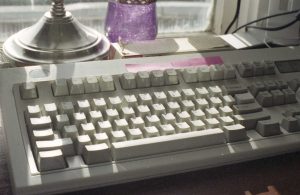
A photo of a white keyboard.
A white keyboard. Photo: Nikky via Flickr. License: CC BY-SA 2.0.

Besides keyboards for with cables, there are also wireless keyboards and virtual keyboards (which would be software, and not hardware). Virtual keyboards are commonly used in smartphones and tablets, but they can be used on PCs as well. Laptops have keyboard built into them as a single device. All of them perform the same functions.
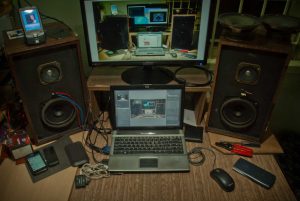
Two audio speakers next to a laptop.
A laptop next to two audio speakers. Photo: Surajram Kumaravel via Flickr. License: CC BY-SA 2.0.

In a keyboard, the placement of the keys is called the keyboard layout. The layout changes from language to language, and may be different even in the same language. Popular keyboard layouts for English are QWERTY, AZERTY, and Dvorak.

In some languages, like Japanese, there are more characters in the language than it's possible to express using physical keys, and so special programs, called IMEs, are used to convert a sequence of characters to a specific character. For example, an IME could covert tsunami to 津波.

Images

A yellow keyboard with ANSI layout.
A keyboard featuring the ANSI keyboard layout. Photo by Thomas Vogt on Flickr (license: CC BY-SA 2.0)
A black keyboard with English and Cyrillic letters on its keys.
A Cyrillic keyboard featuring the ISO keyboard layout. Photo by Thomas Vogt on Flickr (license: CC BY-SA 2.0).
Diagram showing the ANSI keyboard layout compared to the ISO keyboard layout. ISO has a shorter shift and a red key next to it, and a taller Return key.
A comparison between ANSI and ISO keyboard layouts. Different keys in red. Diagram by Brilliantwiki2 on Wikimedia Commons (license: CC BY-SA 4.0)
Written by Noel Santos.

About the Author

I'm a self-taught Brazilian programmer graduated in IT from a FATEC. In a world of increasingly complex and essential computers, I decided to use my technical expertise in hardware, desktop applications, and web technologies to create an informative resource to make PC's easier to understand.

View Comments