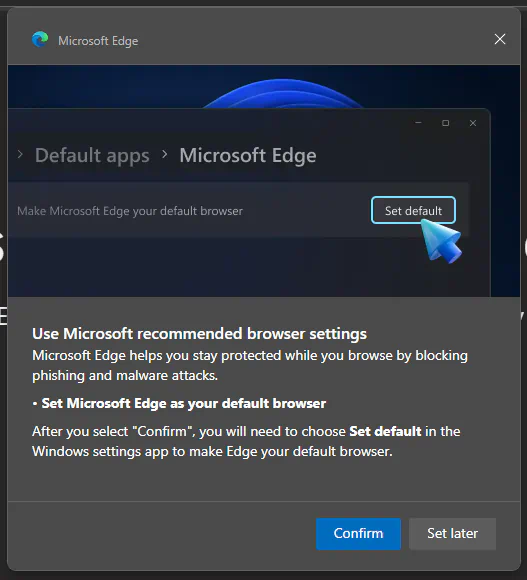
Note: Microsoft Edge doesn't Accept a "No" as Answer, Only "Set Later"

Microsoft Edge: "Set Later" Popup (2024)

Share
A dialog window titled "Microsoft Edge," in it an image of a settings dialog with the breadcrumbs "default apps > Microsoft Edge," an option that reads "make microsoft edge your default browser" with a button that reads "set default" and a large blue 3D cursor hovering over it. Under this image, a text reads: Use Microsoft recommended browser settings. Microsoft Edge helps you stay protected while you browse by blocking phising and malware attacks. Set Microsoft Edge as your default browser. After you select "Confirm", you will need to choose "Set default" in the Windows settings app to make Edge your default browser. Two buttons: "Confirm" (accented in blue) and "Set later."

Description

The popup that Microsoft Edge displays asking the user to set it as their default web browser.

Metadada

File Type
image/webp
File Size
23.5KiB
Resolution
527x580px

View Comments