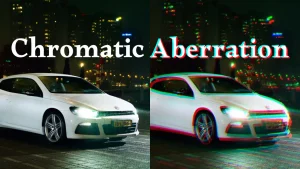
For reference, how to create a chromatic aberration effect in an image (be it a photo or illustration) or video in several applications, including Krita, Photoshop, GIMP, Photopea, Clip Studio Paint, DaVinci Resolve, After Effects, and Premiere Pro.
If your preferred application isn't listed, you may still be able to learn how to create the effect from similar a tutorial from a similar application.
Krita
- How to Add Chromatic Aberration in Krita (using G'MIC)
- How to Add Chromatic Aberration in Krita (Non-Destructive Effect)
Photoshop

GIMP
- https://www.youtube.com/watch?v=IcGeW7s3eeQ
- You can also use G'MIC in GIMP for this, just like in Krita.

Photopea

Clip Studio Paint

DaVinci Resolve
For Resolve there are two different built-in filters that can achieve this. The first is the "prism blur," which makes colors shift a lot from a central point in a video.
The second is called "chromatic aberration," which is more subtle.

After Effects

Premiere Pro
