To do this, following the following steps:
1: on the side menu, click on "Settings" or access the link:
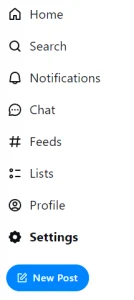
This will make the "Settings" page appear.
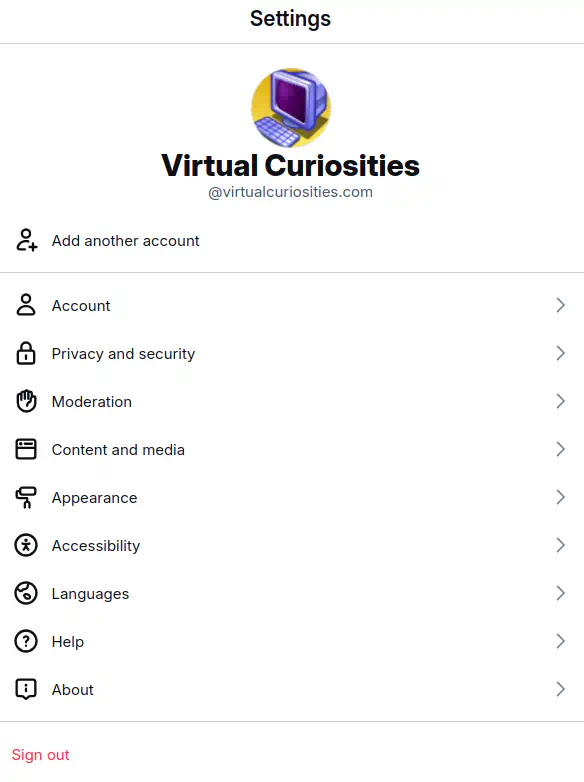
2: on the Settings page, click on "Account" to view your account settings.
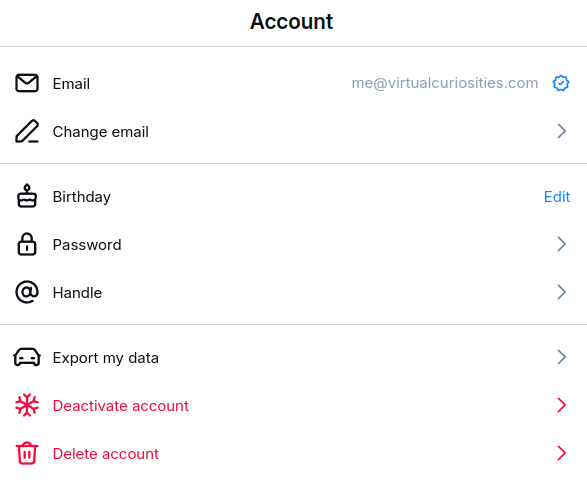
3: on your "Account" settings page, click on "Handle." A dialog box will appear.

4: in the dialog box, type your new username.
5: click "Save."
FAQ
Will I Lose My Followers If I Change My Handle?
No. The way it works on Bluesky, or, more specifically, on the AT Protocol that Bluesky uses, is like this: there are two types of identifiers: the handle (like traditional social media), and the DID (Decentralized Identifier). When you create an account, a DID is automatically generated for you, but your handle you need to choose manually.
The only purpose of handles is to serve as a human-readable name for the DID, i.e. it's just a nickname for the user's ID. All your data on Bluesky is associated with your DID. It's not handles following handles on Bluesky, it's DIDs following DIDs. You just don't see your DID normally because it's just random letters and numbers. It does appear on URLs sometimes—when you see /profile/did:plc in your address bar, that's the DID of a user.
The term for finding the DID associated with a handle is called resolving. When you type a handle somewhere, Bluesky has to resolve that handle into its respective DID before doing anything with it. This means if you change your handle, the only thing that happens is that your old handle will stop resolving to your DID. Your DID won't change, so you won't lose your followers, likes, or anything like that.
Interestingly, it's technically possible to change which DID your handle points to, but only if you're a programmer playing around with the AT Protocol. Users who just use Bluesky normally can't do this because Bluesky (the app) will change only your handle while keeping your old DID, which is what most people will want.
[...] You can keep your handle and point it at your new DID, but all in-protocol references are based on the DID. You will lose your followers, for example (because they're "following" your DID, not your handle).
David Buchanan, "Aug 12, 2024" [https://github.com/bluesky-social/atproto/discussions/2705] (accessed 2024-11-29)
Using You Domain Name as Username on Bluesky
On Bluesky, it's possible to use a domain name as your handle. That is, if you own a website, like virtualcuriosities.com, you can make this domain with the dot appear on Bluesky.
To do this, follow the following steps:
1: click on the button "I have my own domain" in the Change Handle dialog box.
2: type your domain (with .com) in the text box. Don't type the www. If your website is hosted in a subdomain, e.g. nasa.tumblr.com, you won't be able to use this function, you need to be the owner of the second level domain.
3: you'll need to verify the ownership of your domain name using the code written in the text box. To do this, go to the website (registrar( where you contracted the domain and add a TXT record as indiciated.
Although this sounds complicated, after you learn how to do this once it's easy, and this method to verify domain ownership via DNS is very common.
In my case, I had to create a record with the name _atproto nad the value did=did:plc:ug7meewa7rcuznpxvd6onsar. Note that when you create a TXT record, you will write did=... in the record and place all of this in a single field. It's a bit confusing because it seems like they're telling you to create a field called did with the value did:plc:ug7..., but that's not how DNS works. You copy the entire thing and paste it.
Observe also that this confirmation code isn't a secret, like a password or something of sort. It's only to confirm that you have control over the domain. The value written in the TXT record is public and anyone can see it.
After adding the record to your domain, try to confirm that you are the owner on Bluesky. It's possible that this doesn't work immediately and it takes a few minutes for the DNS to be updated, so try again after waiting a while.
Revisions
2024-11-20: Bluesky changed its interface, so screenshots had to be updated.
2024-11-29:Added "Will I Lose My Followers If I Change My Handle?" to FAQ section.